

Portal GuideKnowledge Base
How to add a fact to the Knowledge Base
Add a new piece of dealership reference content the AI can draw on during conversations.
The Knowledge Base is the AI's source of truth for dealership-specific information — financing options, warranty terms, loaner policies, directions, and anything else customers commonly ask about.
Add a fact
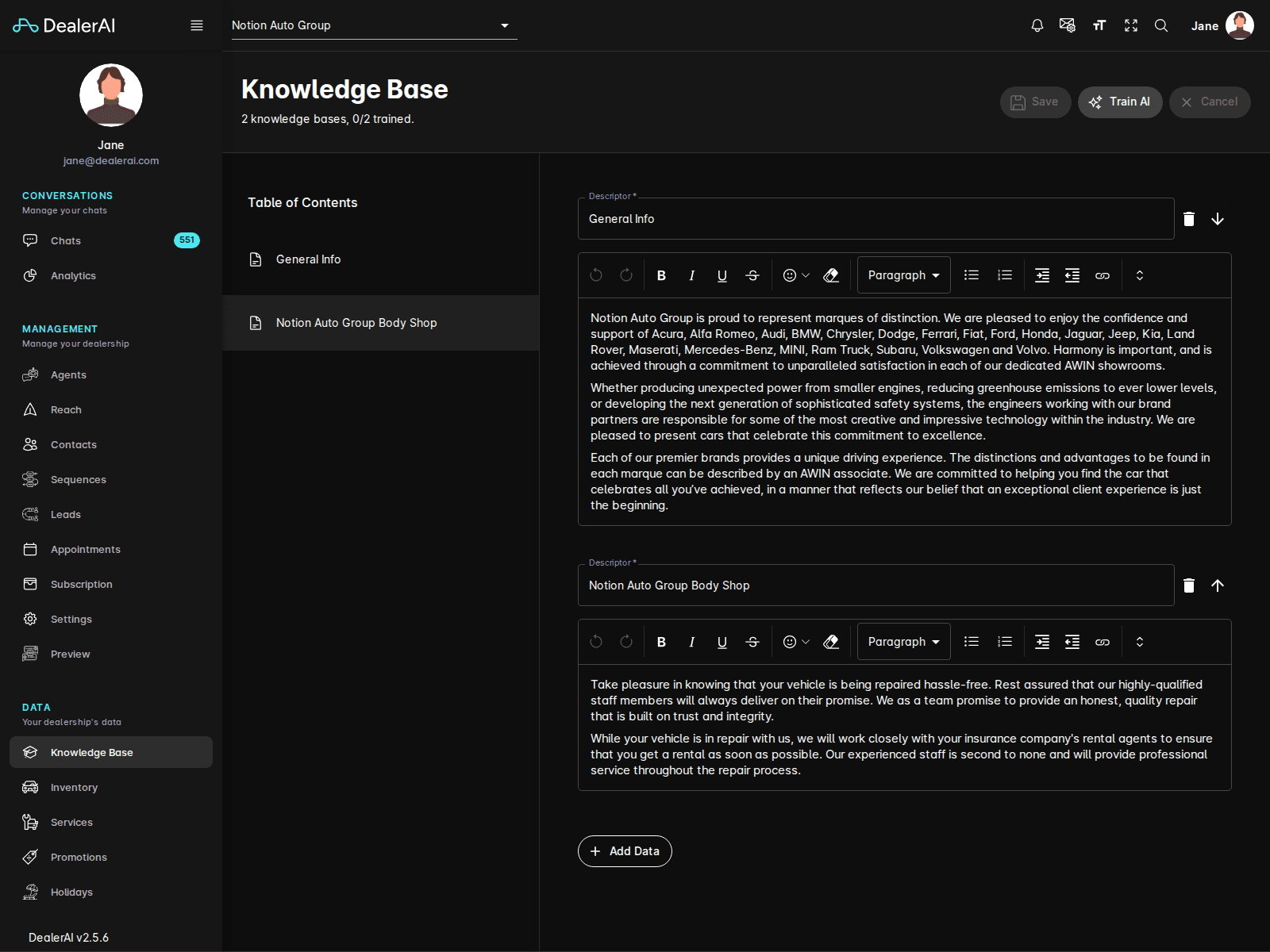
Go to Knowledge Base from the sidebar.
Confirm the correct dealership is selected.
Use the Table of Contents sidebar to navigate to the section that best fits the new fact (for example, Financing, Service, Policies).
Edit the section's content and add the new fact as its own paragraph or descriptor entry.
Click Save at the top of the page.
Click Train AI to make the change available to live conversations. (See How to retrain the AI.)
What makes a good knowledge entry
| Do | Avoid |
|---|---|
| Keep each fact short and self-contained (1–3 sentences). | Long marketing copy or generic blurbs. |
| Use plain language a customer would understand. | Internal jargon and acronyms with no explanation. |
| State numbers, names, and conditions explicitly. | Vague phrases like "competitive rates" or "industry-leading". |
| Mention the dealership by name where relevant. | Copying competitor language wholesale. |
Treat the Knowledge Base like an FAQ written for the AI. The clearer and more specific each entry, the more accurately the AI can use it in real conversations.
Examples of useful facts to add
- "Financing applications are processed in-house and most decisions are returned the same day."
- "Service loaners are available for repairs expected to take longer than 4 hours, subject to availability."
- "We offer a 30-day exchange policy on certified pre-owned vehicles."
- "Our service department is located at the rear of the building — enter from Maple Street."
Next step
After adding facts, retrain the AI and test that the AI uses the new knowledge.