

Hours
Set the dealership's timezone and business hours for each department so the AI knows when the dealership is open.
Hours configures the dealership's operating hours and timezone. The AI uses this information to determine whether the dealership is currently open and to answer customer questions about hours.
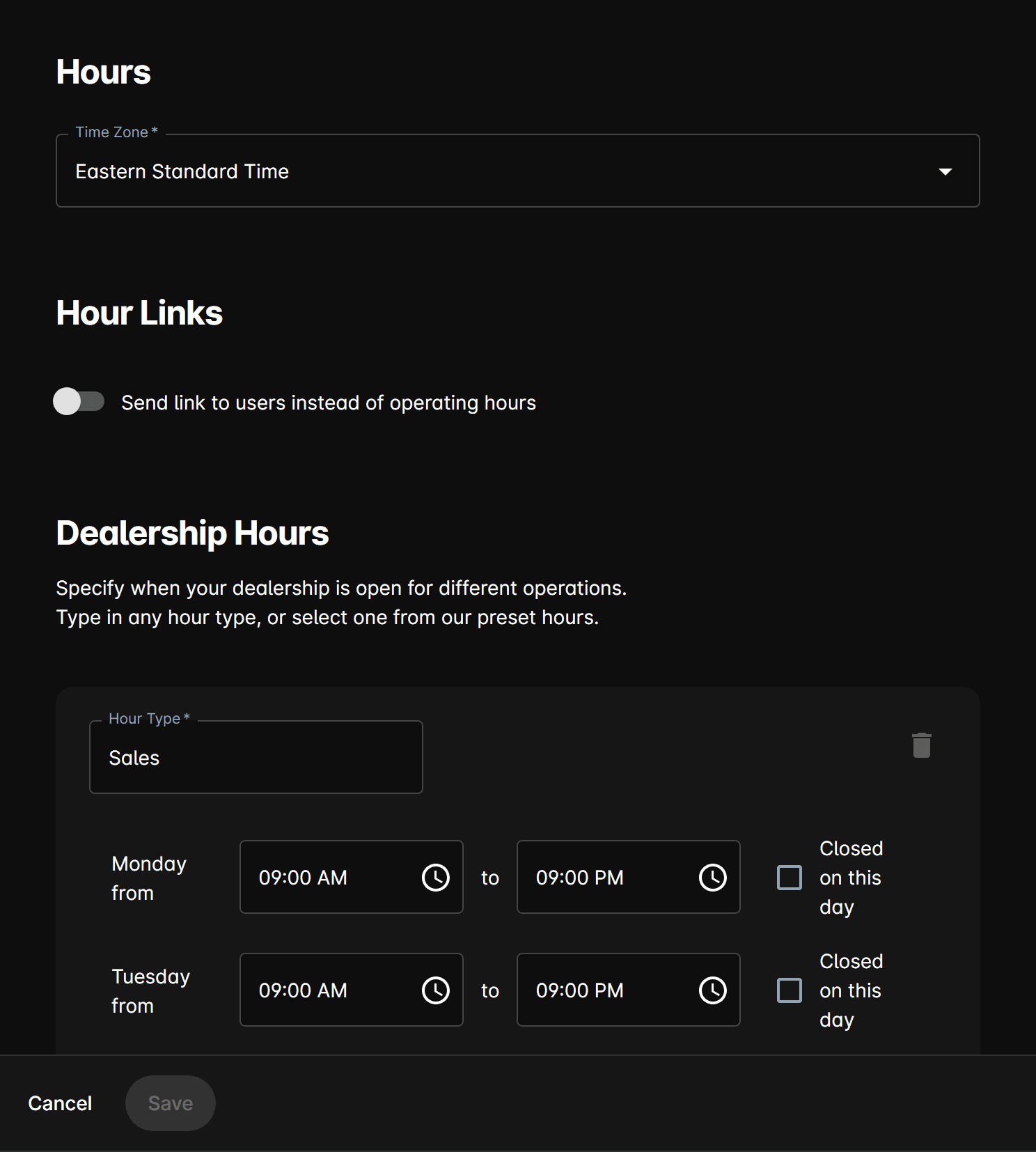
Fields
Timezone
Select the dealership's local timezone from the autocomplete dropdown. This is required and ensures that opening/closing times are evaluated correctly relative to the customer's inquiry time.
Hours blocks
Add one or more hour-type entries — one per department or business area. Each block includes:
Department / Type — The business area these hours apply to. Typical types include:
- Sales
- Body Shop
- Service
- Parts
Per-day configuration — For each day of the week, set:
| Field | Description |
|---|---|
| Opening time | Time the department opens. |
| Closing time | Time the department closes. |
| Closed on this day | Checkbox to mark a day as closed entirely. |
Send link instead of hours
When enabled, the AI sends a Hours Link URL to customers instead of stating hours directly in the conversation. You can configure multiple links (each with a Name and URL) for different hours pages or departments.
The AI respects business hours when deciding whether to hand off to a human or handle the conversation autonomously. Reach sequences also observe these hours settings.