

How to toggle bookable status
Enable or disable online appointment booking for a specific service.
The bookable status controls whether the AI can schedule appointments for a service. When enabled, customers can book directly through the chat. When disabled, the AI can still mention the service but will direct customers to call for scheduling.
Enable booking for a service
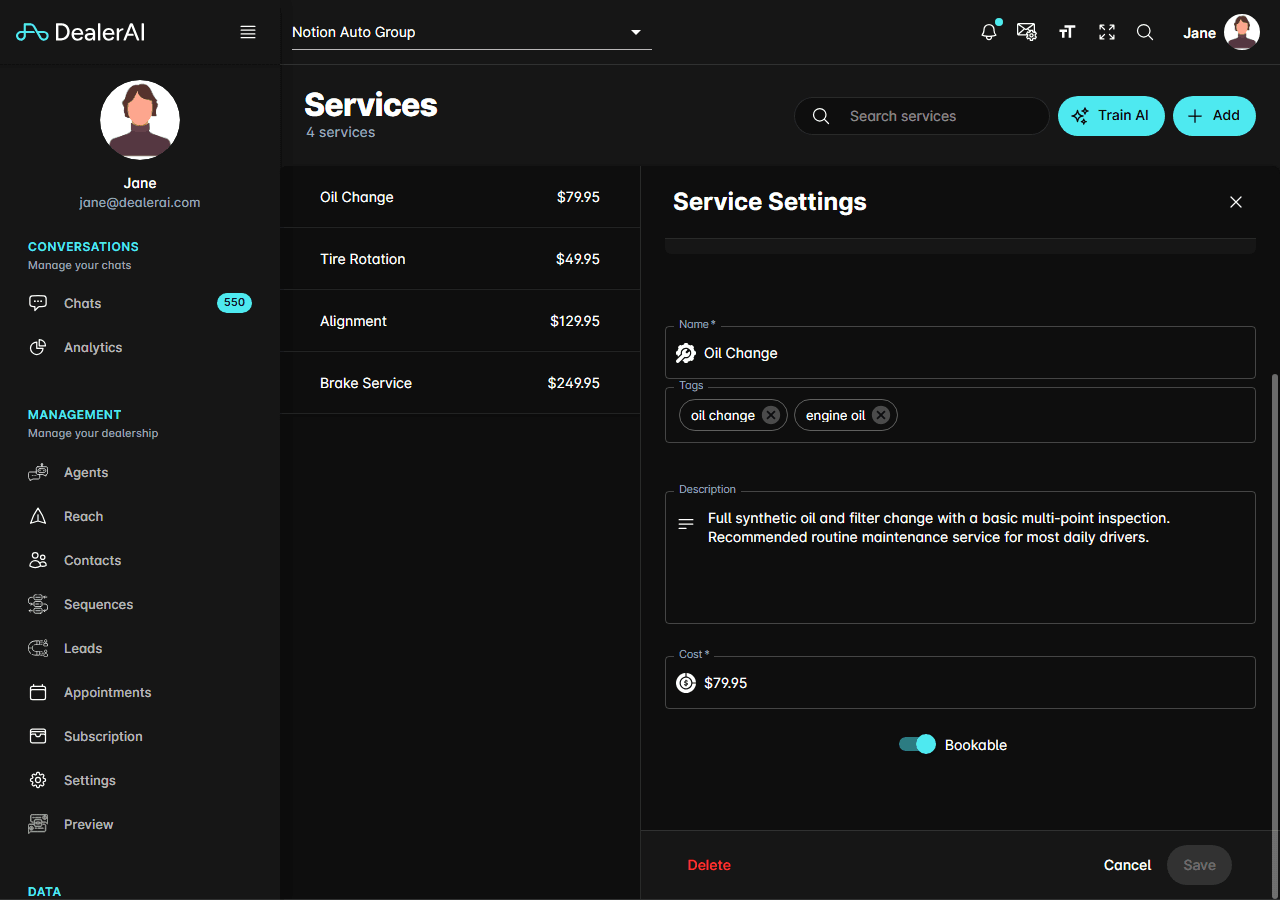
The AI can now offer to book this service when a customer expresses interest.
Disable booking for a service
The AI will still mention the service and provide pricing, but instead of offering to book, it will direct the customer to call the dealership.
When to disable booking
- Limited capacity — you're fully booked and can't take online appointments
- Complex services — the service requires an in-person assessment before scheduling (e.g., body work, custom modifications)
- Seasonal availability — the service is only offered during certain months
- Equipment downtime — temporarily unable to perform the service
How the AI handles non-bookable services
When a customer asks to book a non-bookable service, the AI:
- Confirms the service is available
- Provides pricing and description
- Asks the customer to call the dealership to schedule
- Offers the dealership's phone number
Toggling bookable status is non-destructive — the service remains visible and the AI still knows about it. Only the appointment booking capability is affected.
Tips
- Use this toggle instead of deleting services that are temporarily unavailable.
- Keep popular, straightforward services bookable (oil changes, tire rotations) to maximize online conversions.
- Disable booking for services that require diagnosis — let staff assess and schedule manually.
- Review your bookable services monthly and adjust based on shop capacity.