

Integrations
Grant DealerAI access to your dealership's Facebook Page so the chatbot can respond to Messenger conversations.
Please follow the instructions below to grant DealerAI chatbot access to your dealership's Facebook Page.
Grant Page access
Login to Meta Business Manager or Meta Business Suite at business.facebook.com.
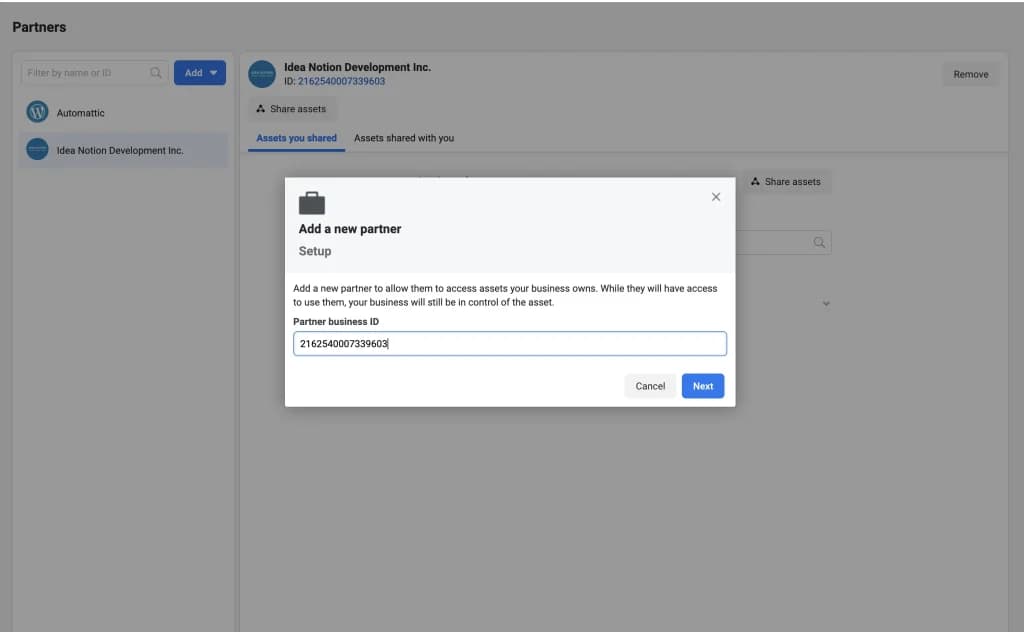
Go to Settings → Users → Partners, and use the Add button to give a partner access to your assets. The Partner Business ID is 2162540007339603.
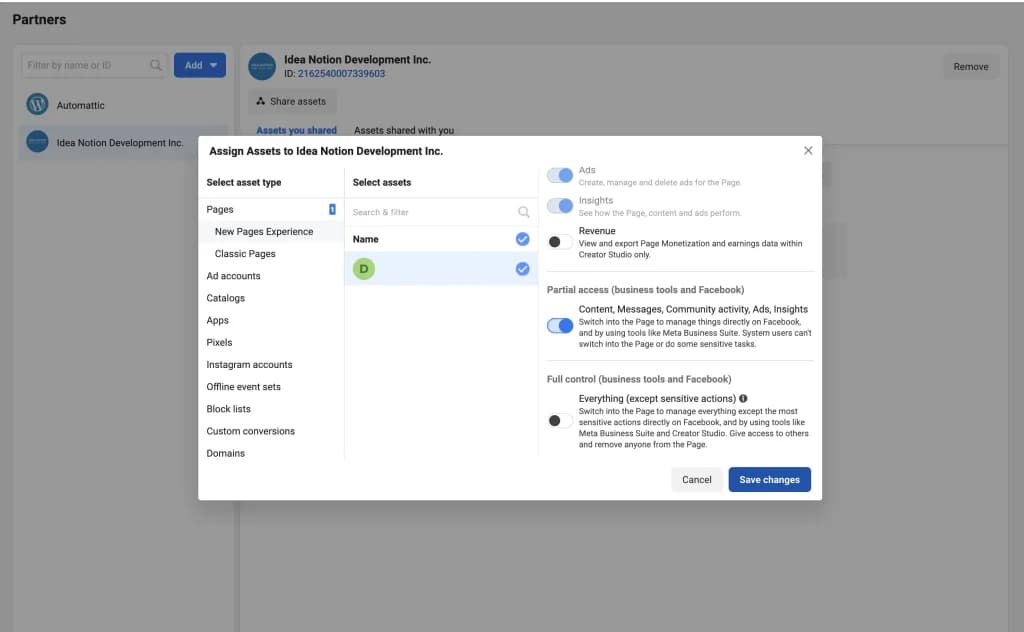
Provide Partial Access to your Facebook Page.
Let your DealerAI account manager / support staff know once this access has been granted.
Add the partner
Grant Partial Access to your Page
Once access is granted, notify your DealerAI account manager or support staff so they can finish connecting your Facebook Page to the chatbot.