

Contacts
Search, review, edit, and enroll dealership contacts, and manage the unsubscribed and spam lists.
Contacts is the dealership's customer record. A contact is created automatically the first time someone talks to the agent on any channel, and you can add one by hand.
Open it from Contacts in the sidebar.
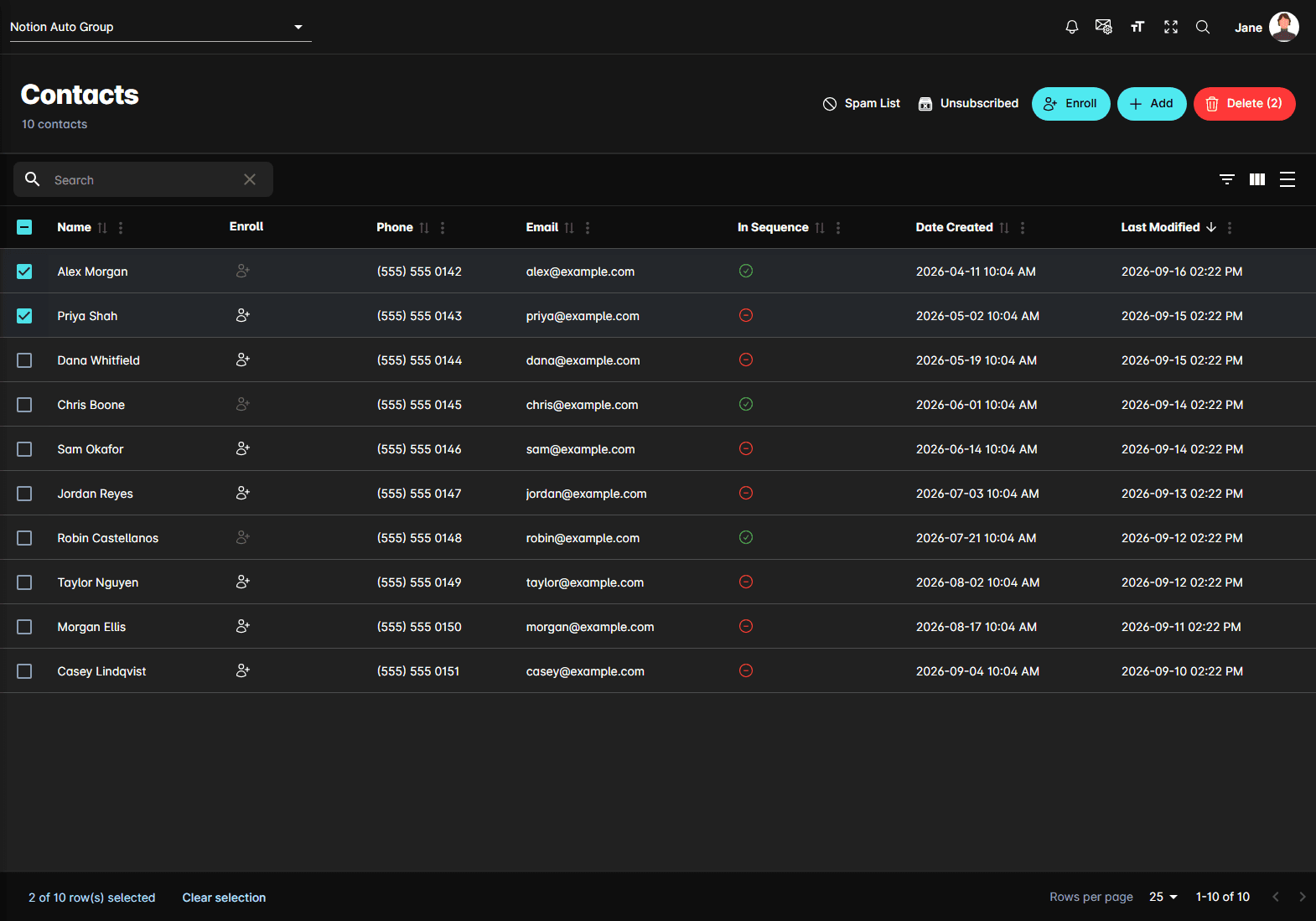
The table
| Column | What it holds |
|---|---|
| Name | First and last name, as captured or corrected |
| Enroll | Sends this one contact into a sequence |
| Phone and Email | How the agent reaches them |
| In Sequence | A green tick if they're enrolled in a sequence right now, a red mark if not |
| Date Created | When the record was first created |
| Last Modified | When it last changed |
Clicking anywhere on a row opens that contact's record.
Toolbar actions
Above the table, on the right:
- Spam List — numbers and addresses the agent ignores
- Unsubscribed — numbers and addresses the agent won't message
- Enroll — sends the contacts you've ticked into a sequence
- Add — opens Create Contact to enter someone by hand
- Delete — removes the ticked contacts, after a confirmation
The contact record
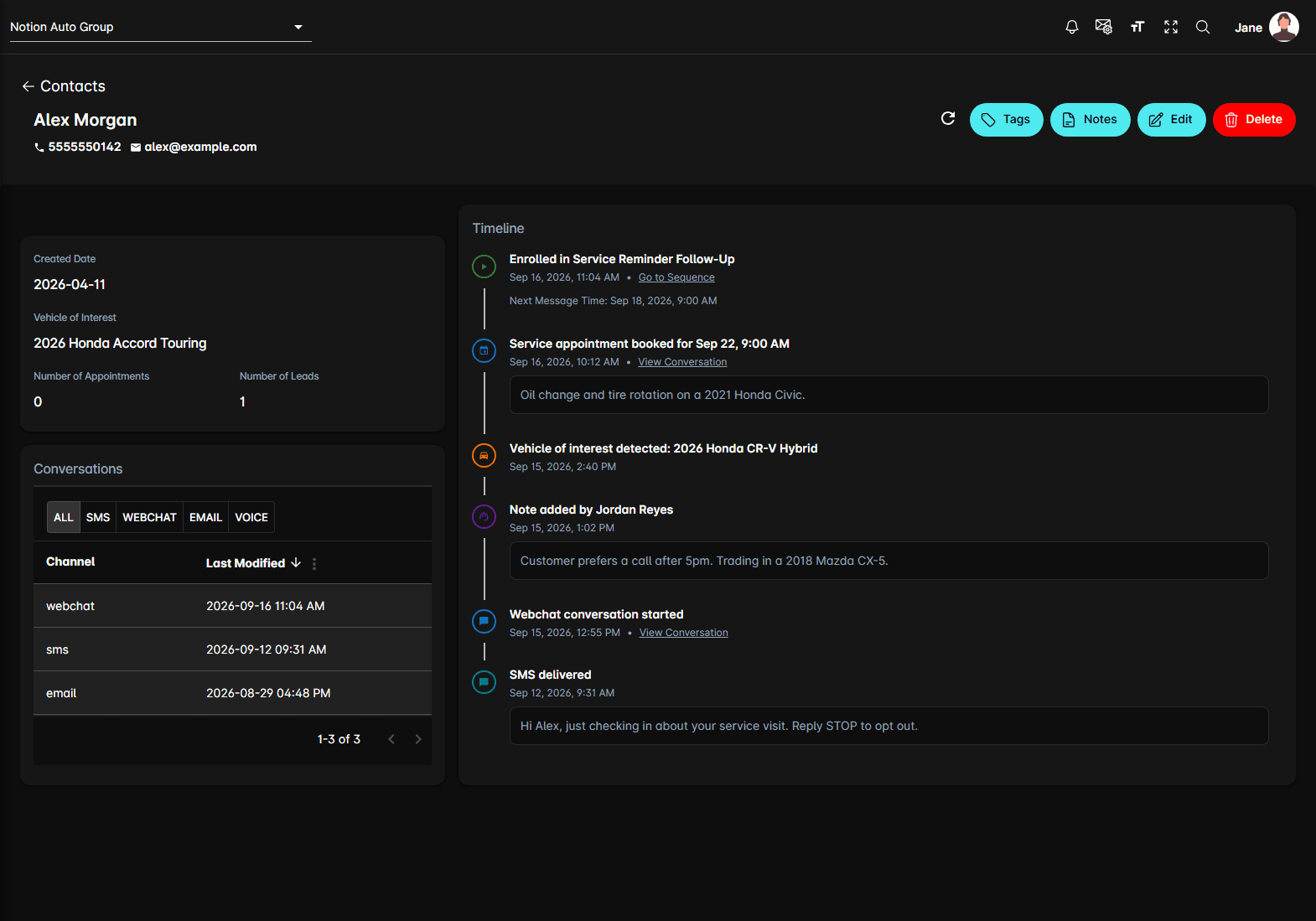
The header carries the name, phone, and email, a refresh icon, and the buttons for the record: Tags, Notes, Edit, Enroll, and Delete.
Down the left:
- Enrollments — the sequences the contact is in right now, each with Unenroll. This card only appears when there's at least one
- Created Date, Vehicle of Interest (the most recent one the agent detected), Number of Appointments, and Number of Leads
- Conversations — every conversation with this person, filtered by All, SMS, Webchat, Email, or Voice. Clicking one opens it in a panel
On the right is the Timeline — see how to view contact activity.
Tags and notes
Two of the header buttons open panels of their own:
- Tags opens Configure Contact Tags: the tags already on the contact, each with an X to take it off, and an Add Tag box that searches the tags defined for the dealership. You pick from that list rather than typing a new one
- Notes opens Contact Notes, a running list of notes your team writes about this person. Notes also show up in the contact's timeline
Unsubscribed and spam lists
Four lists sit behind the Unsubscribed and Spam List buttons, and each pair is cross-linked at the top of the page:
| List | Holds |
|---|---|
| Unsubscribed Users | Phone numbers opted out — they texted STOP, or delivery came back as an opt-out |
| Unsubscribed Emails | Email addresses that won't receive outbound mail |
| Spam Users | Phone numbers the agent ignores entirely |
| Spam Emails | Email addresses the agent ignores entirely |
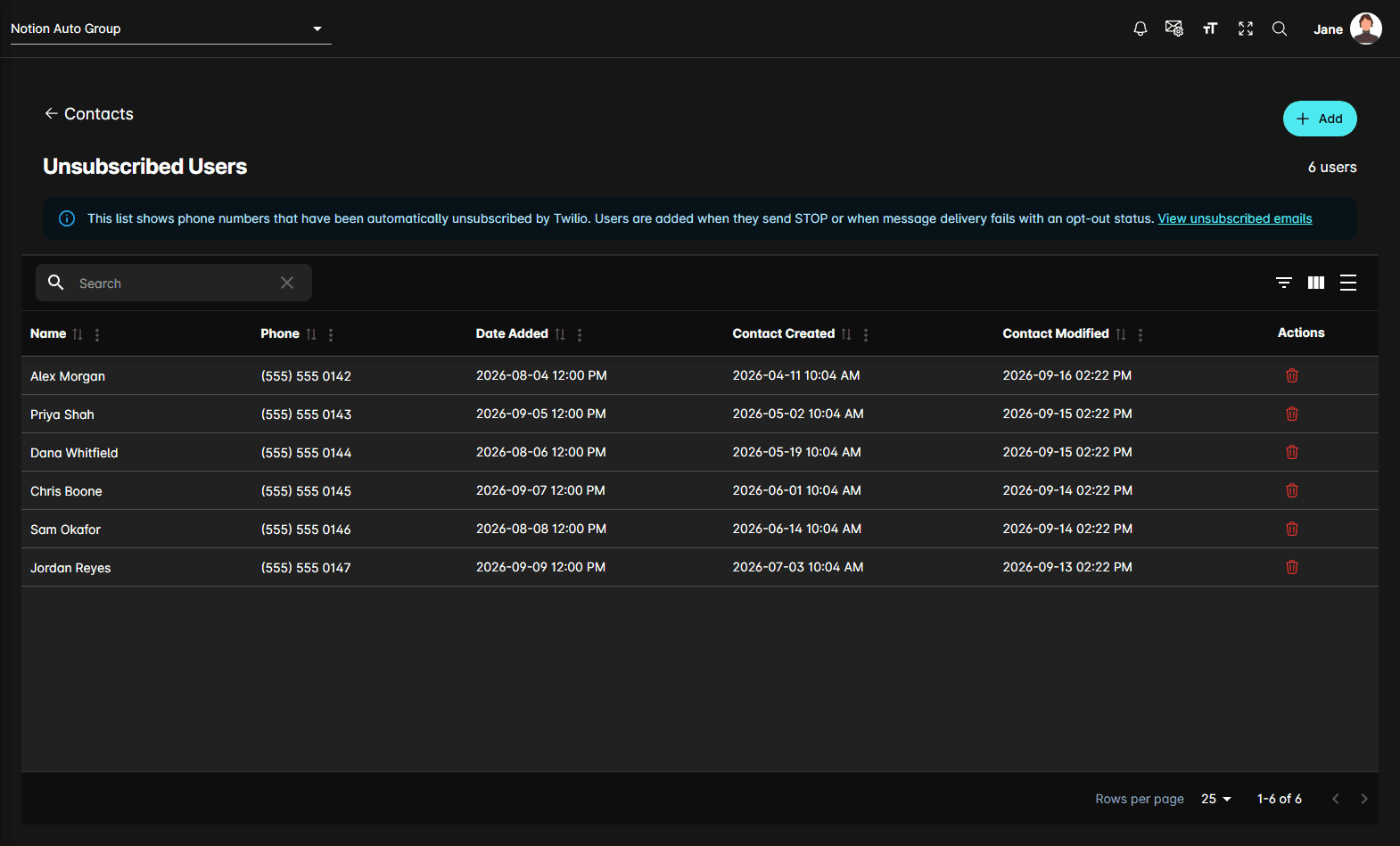
They all work the same way: Name, the number or address, Date Added, and when the contact record was created and last changed. Add puts an entry on the list by hand, and the bin icon at the end of a row takes one off it. Clicking a row opens the contact.
Taking someone off an unsubscribed list makes the agent message them again. Only do it when the customer has asked to be re-subscribed.
Typical workflow
Notes
- Contacts are per dealership. Switching dealership at the top of the page reloads the list.
- The Unsubscribed flow is important when documenting consent-sensitive outreach processes.
- Contacts works closely with Leads, Reach, and Sequences in the overall customer journey.