

Preview
Open your dealership's live webchat inside the portal and talk to the AI the way a customer would.
Preview puts your dealership's real webchat widget inside the portal so you can talk to it yourself. It uses your current configuration — agent prompts, knowledge base, inventory, promotions, hours — so whatever you see here is what a visitor on your website would get.
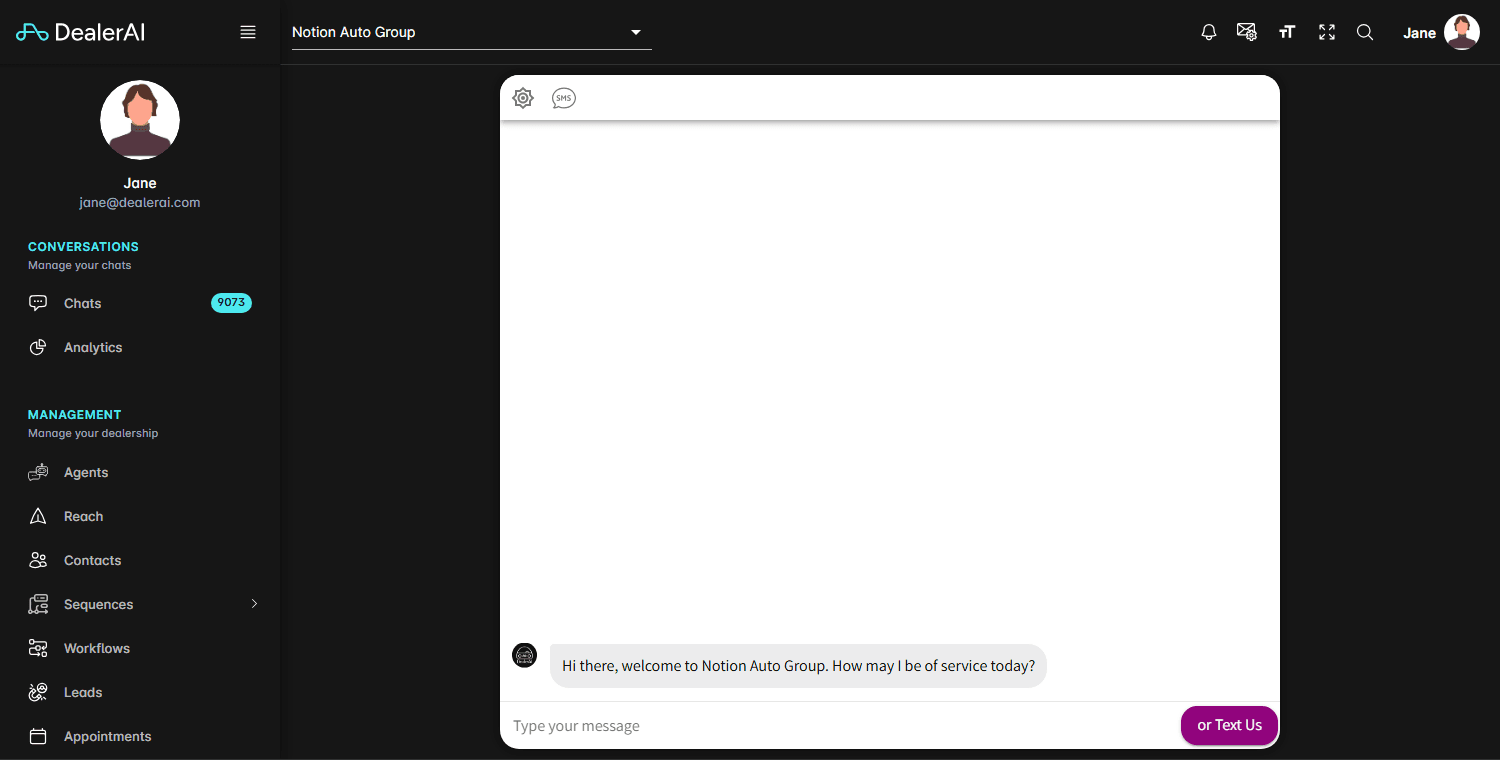
What you're looking at
The chat is loaded in expanded mode: it fills the page as a single centred panel, already open, with no launcher button and no close button. The widget's first message appears straight away and the composer is ready underneath it.
That differs from a real site in a couple of ways worth knowing before you judge the experience:
- The launcher and the pop-up invitations don't appear. The chat head, the welcome pop-up, the whisper pill, and the conversation-starter card are all suppressed in expanded mode, because there's nothing to launch. Check those on your own site, or from Conversation Starters.
- The panel is a fixed width, capped at 800px and centred, rather than sitting in the corner at whatever size your widget style uses.
Everything inside the window — colours, title, SMS controls, promotions, language switcher — is your own configuration and is worth checking here.
Using it
Preview conversations are real conversations. They run through the same pipeline as a visitor on your website, so they appear in Chats, and anything the AI would normally do — create a contact, raise a lead, book an appointment — it can do here too. Use obviously fake details, and clean up afterwards if a test goes the whole way through.
Testing before you go live
Preview loads the widget even when it is set to private, so you can rehearse the whole experience before the widget is published on your website.
| What to check | How |
|---|---|
| Opening message | Read the first message the AI sends, and the buttons beneath it |
| Appearance | Confirm the colours, logo, title, and theme toggle match your branding |
| Inventory | Ask about specific vehicles and check the AI quotes current stock |
| Knowledge Base | Ask about hours, location, or policies and verify the answers |
| Promotions | Ask about current deals, and check the promotions icon in the header |
| Languages | Switch language in the header and confirm the AI follows |
| Booking | Go through a full booking flow end to end |
Fixing what you find
- Wrong or weak AI answers — adjust the relevant prompt in Agents
- Wrong dealership facts — update the Knowledge Base or Settings
- Missing or stale vehicles — review Inventory
- Wrong opening message or buttons — edit Conversation Starters
- Appearance — adjust Settings → Webchat
Reload Preview after each change; the widget picks up the saved configuration on load.