

How to set recurring holidays
Manage annual closure dates so DealerAI stays accurate year after year.
Most statutory holidays fall on the same date every year — Christmas, New Year's Day, Canada Day. DealerAI doesn't have a recurring checkbox, but it handles annual holidays intelligently: if you add a holiday with the same name as a past-year entry that has already passed, the system automatically updates that entry with the new date rather than creating a duplicate.
Add an annual holiday
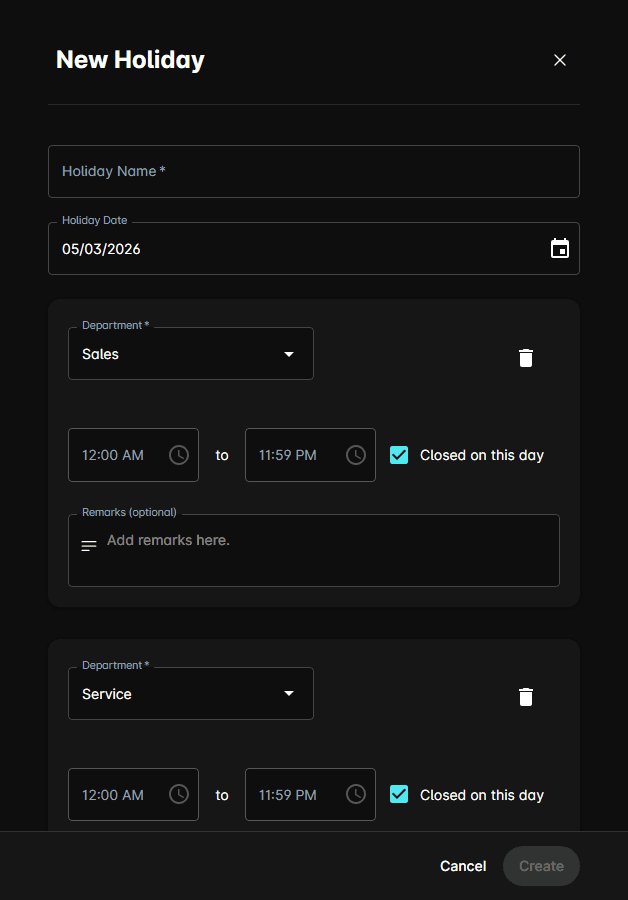
The holiday applies immediately. Next year, repeat with the same name and the new date — DealerAI will update the existing entry automatically.
Convert an existing holiday to use the same name next year
Holidays that move each year
Some holidays — Easter, Thanksgiving in some regions, Victoria Day, Labour Day — change date each year. Add these fresh each year with the same name and the new date.
A good time to review and add the year's moving holidays is right after the New Year. Block off 5 minutes to add Easter, Thanksgiving, and any long-weekend dates for the next 12 months.
Use Auto-fill for common holidays
The Auto-fill button on the Holidays page automatically populates common statutory holidays for your region. This is the fastest way to set up a full year of standard closures at once.
Recommended holidays to add each year
These fixed-date holidays are safe to re-add annually with the same name:
| Holiday | Date |
|---|---|
| New Year's Day | January 1 |
| Canada Day / Independence Day | July 1 / July 4 |
| Christmas Eve | December 24 |
| Christmas Day | December 25 |
| Boxing Day | December 26 |
| New Year's Eve | December 31 |
Add any others your dealership traditionally observes — anniversaries, founder days, or annual inventory days.