

Portal GuideServices
Services
Search, add, and train dealership service offerings used by DealerAI.
The Services section manages the dealership service catalog used by DealerAI.
Services list
The current Services page shows:
- A service count in the header
- A Train AI action
- An Add action
- A list of existing services
This is the main place for maintaining service offerings that should be available to the AI.
Service edit view
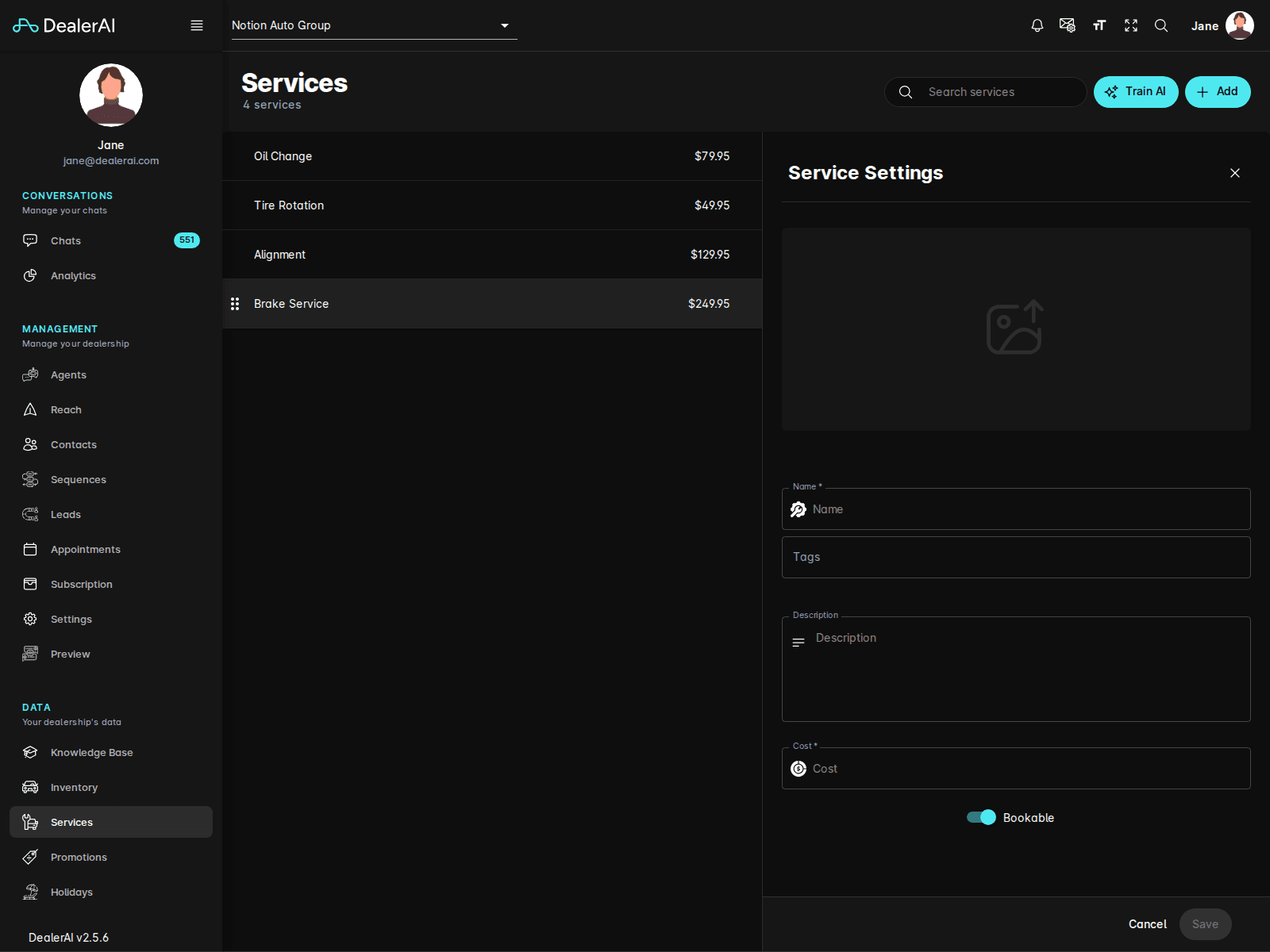
When creating or editing a service, the current form includes fields such as:
- Name
- Tags
- Description
- Cost
- A Bookable option
- Cancel and Save actions
Train AI
Use Train AI after updating service content so the latest service details are reflected in live AI responses.
This matters whenever the dealership adds, renames, reprices, or changes how a service should be presented.
Typical workflow
Open Services from the navigation.
Review the current service list.
Click Add to create a new service or open an existing one to edit it.
Update the service details and save the record.
Use Train AI when the changes should affect live customer conversations.
Notes
- The portal route for this section is
/services. - The docs navigation slug remains
vehicle-services, but the UI label shown in the portal is Services. - Services documentation pairs well with Knowledge Base and Appointments when documenting service-department workflows.