

Portal GuideAI Agents
How to use common agent prompt
Write one instruction that every agent at the dealership follows.
The common agent prompt is a single block of instructions applied to every agent at the dealership — the place for things that should be true no matter who the customer is talking to, like how you refer to the store or when a conversation should be escalated.
Edit the common prompt
Open Agents from the sidebar.
Click Add in the panel header.
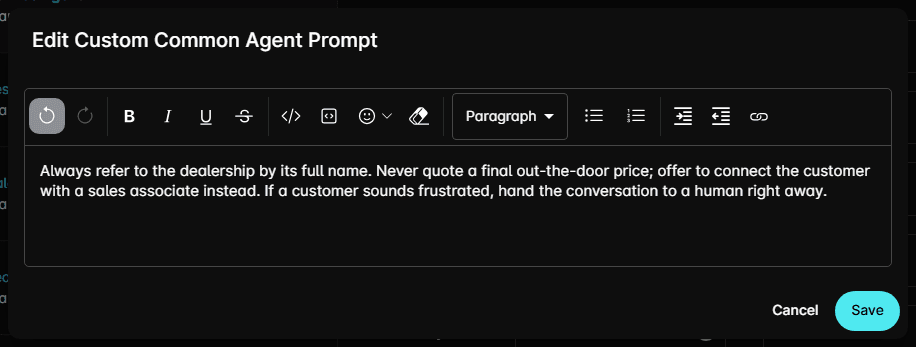
Choose Edit Common Agent Prompt. The Edit Custom Common Agent Prompt dialog opens.
Write your instructions in the editor.
Click Save.
Where it shows up
Open any agent and scroll to Additional Info Override. Common Agent Override Prompt at the top of that section shows the current common prompt, read-only — a reminder of what this agent is already being told before you add anything agent-specific below it.
Common prompt or agent override?
| Put it in the common prompt | Put it in the agent's override |
|---|---|
| How the dealership is named and described | How this agent greets or closes |
| Escalation and handover rules | Rules for one appointment type |
| Compliance wording every reply needs | Wording only this agent should use |
Tips
- Keep it short. It is prepended to every agent, so length here costs you everywhere.
- Review it whenever dealership policy changes — it's the fastest way to update every agent at once.
- Check the result in Preview after saving.