

How to organize the Knowledge Base by topic
Structure entries with the Table of Contents so they're easy to maintain and the AI uses them confidently.
A well-organized Knowledge Base is easier to keep current and helps the AI find the right content during conversations. Use the Table of Contents sidebar as your map, and group related facts into the same section.
Use the Table of Contents
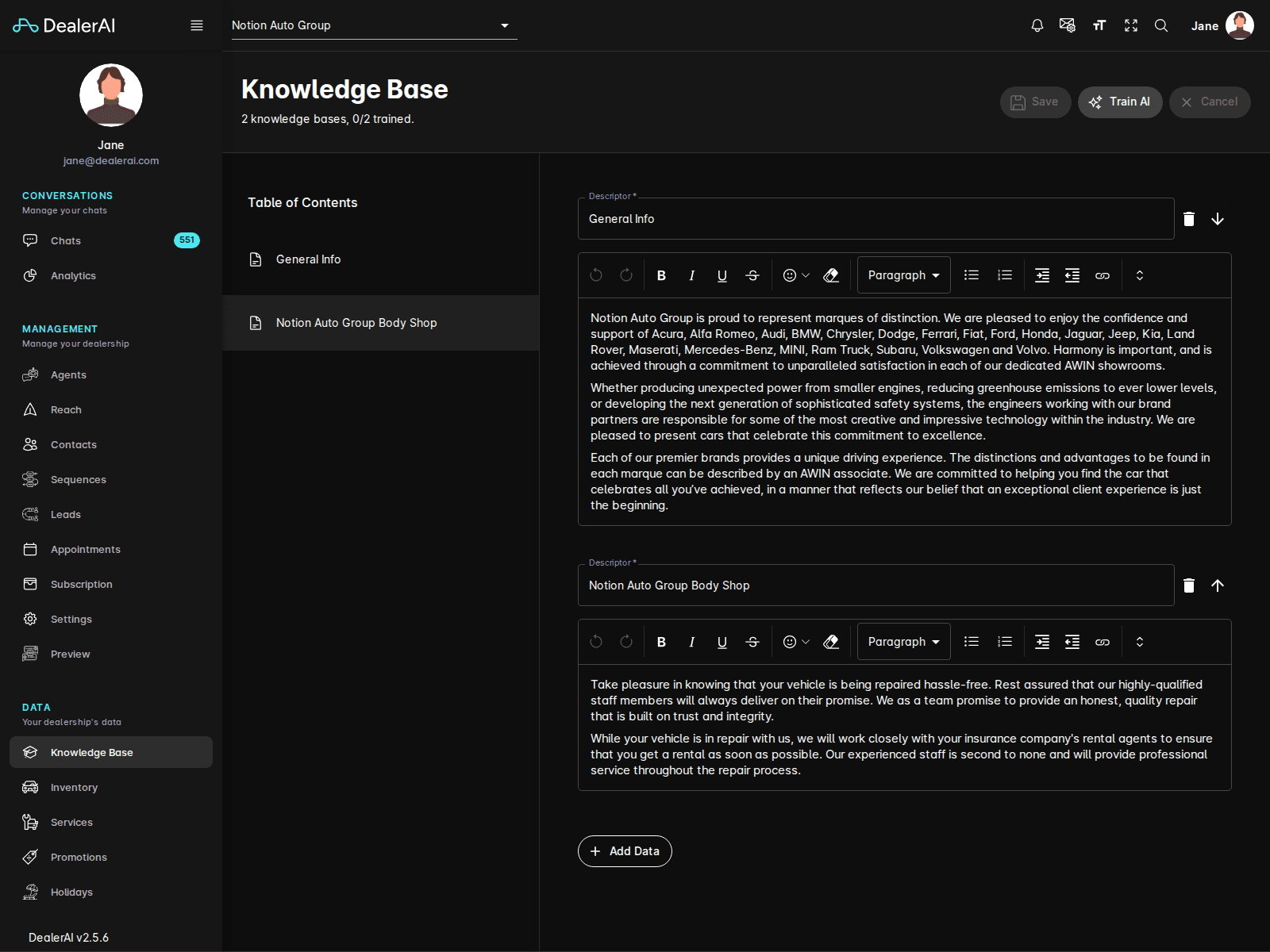
The Table of Contents on the left of the Knowledge Base editor is your navigation across sections. Each section holds the facts for one topic.
Typical sections include:
| Section | What goes here |
|---|---|
| About | Dealership history, ownership, brands sold |
| Hours & Location | Departments, address, parking, directions |
| Sales | Process, test drives, trade-ins, pricing approach |
| Financing | Programs, partners, application steps |
| Service | Booking, loaners, drop-off/pick-up, recall handling |
| Parts | Ordering, special orders, returns |
| Warranty / CPO | Coverage, eligibility, claims |
| Policies | Returns, deposits, cancellations |
If a topic doesn't fit anywhere, add it to About or request a new section from your DealerAI onboarder.
Move an entry to a different section
Best practices for organization
- One fact per entry. Avoid combining "We offer financing and we have loaners" into a single entry — split them so each can be matched independently.
- Keep related facts together. All financing facts in Financing, all service facts in Service. The AI has an easier time when context is consistent within a section.
- Avoid duplicates. If two sections both describe the same policy, the AI may give inconsistent answers. Keep one canonical entry and reference it from the other if needed.
- Use customer-friendly section names. The section names aren't shown to customers, but using clear names helps your team maintain the content.
Treat the Knowledge Base like a help center for your AI. The same principles that make a human-facing FAQ effective — clear topics, short answers, no duplicates — apply here.
Periodic review
Schedule a quarterly review of the Knowledge Base:
A 30-minute review every quarter keeps the Knowledge Base trustworthy and prevents the AI from giving stale answers.