

Portal GuideKnowledge Base
Knowledge Base
Maintain dealership reference content, train updates, and manage structured knowledge entries used by DealerAI.
The Knowledge Base section is where dealership-specific reference content is maintained for DealerAI.
Knowledge editor
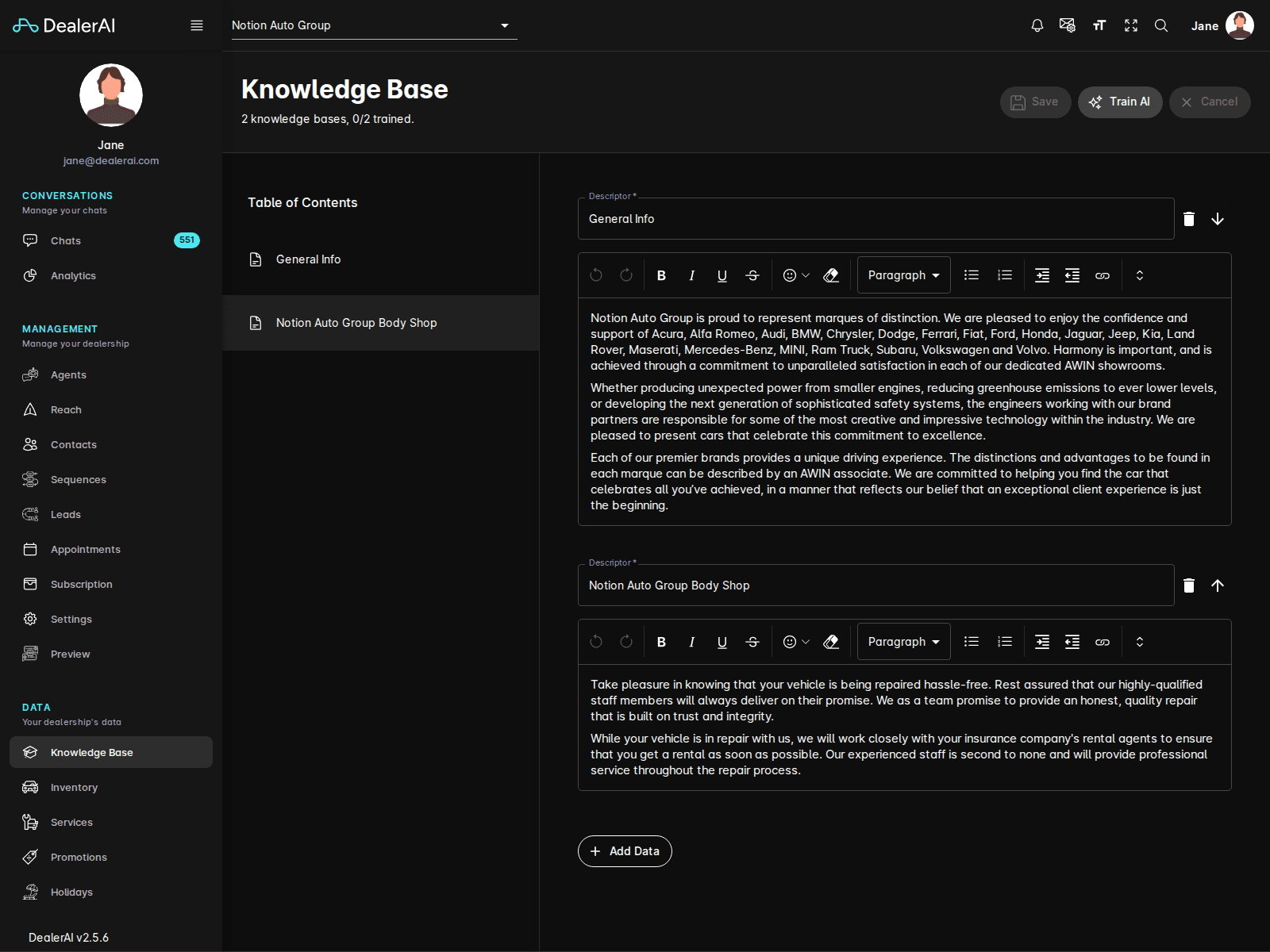
The current Knowledge Base experience includes:
- A page header showing the number of knowledge bases and training status
- Top actions for Save, Train AI, and Cancel
- A Table of Contents sidebar
- A structured content editor for dealership knowledge entries
This is the central place for editing the facts and reference material DealerAI relies on during conversations.
Extract workflow
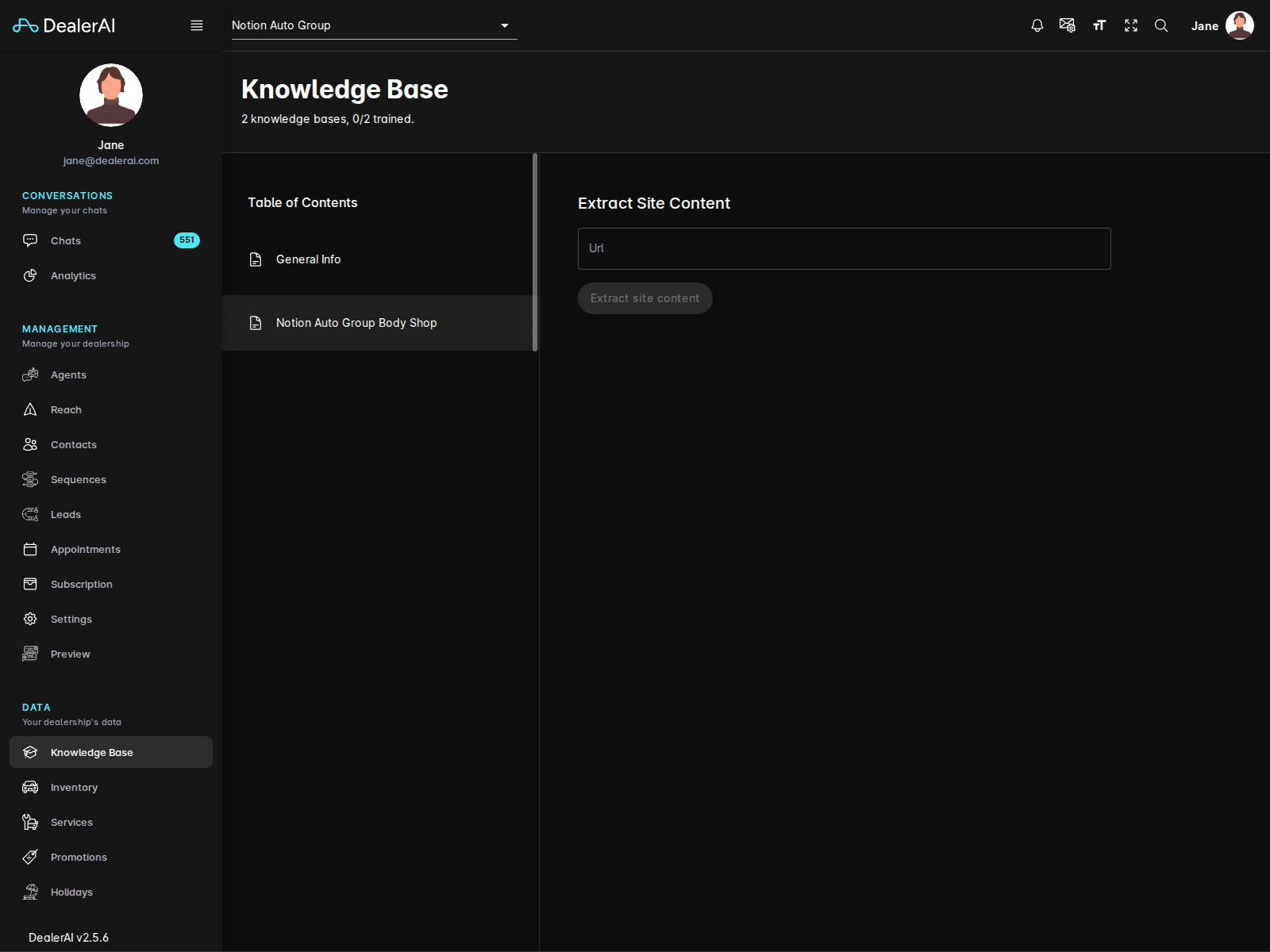
The Knowledge Base also includes an Extract subpage for pulling site content from a URL.
Use this when you want to seed or refresh dealership facts from an existing website before reviewing and saving the results.
Structured knowledge editing
Knowledge Base content is maintained in structured entries rather than one large freeform document.
The editor supports workflows such as:
- Updating descriptors or labels
- Editing long-form paragraph content
- Moving between knowledge sections from the sidebar
- Saving or canceling pending changes
Typical workflow
Open Knowledge Base from the navigation.
Select the dealership you want to manage.
Use the Table of Contents to jump to the section you want to edit.
Update the structured knowledge entries.
Click Save, then use Train AI if the changes should affect production responses.
Notes
- Knowledge Base is dealership-specific.
- This section is a major source of truth for customer-facing AI answers.
- Changes here often work best when coordinated with updates in Agents, Reach, or Settings.