

How to retrain the AI after Knowledge Base updates
Push your latest Knowledge Base edits into production so the AI uses them in live conversations.
Saving Knowledge Base edits stores your changes, but the AI only picks them up after you Train AI. This is a deliberate two-step process so you can stage multiple edits and push them all at once.
Train the AI
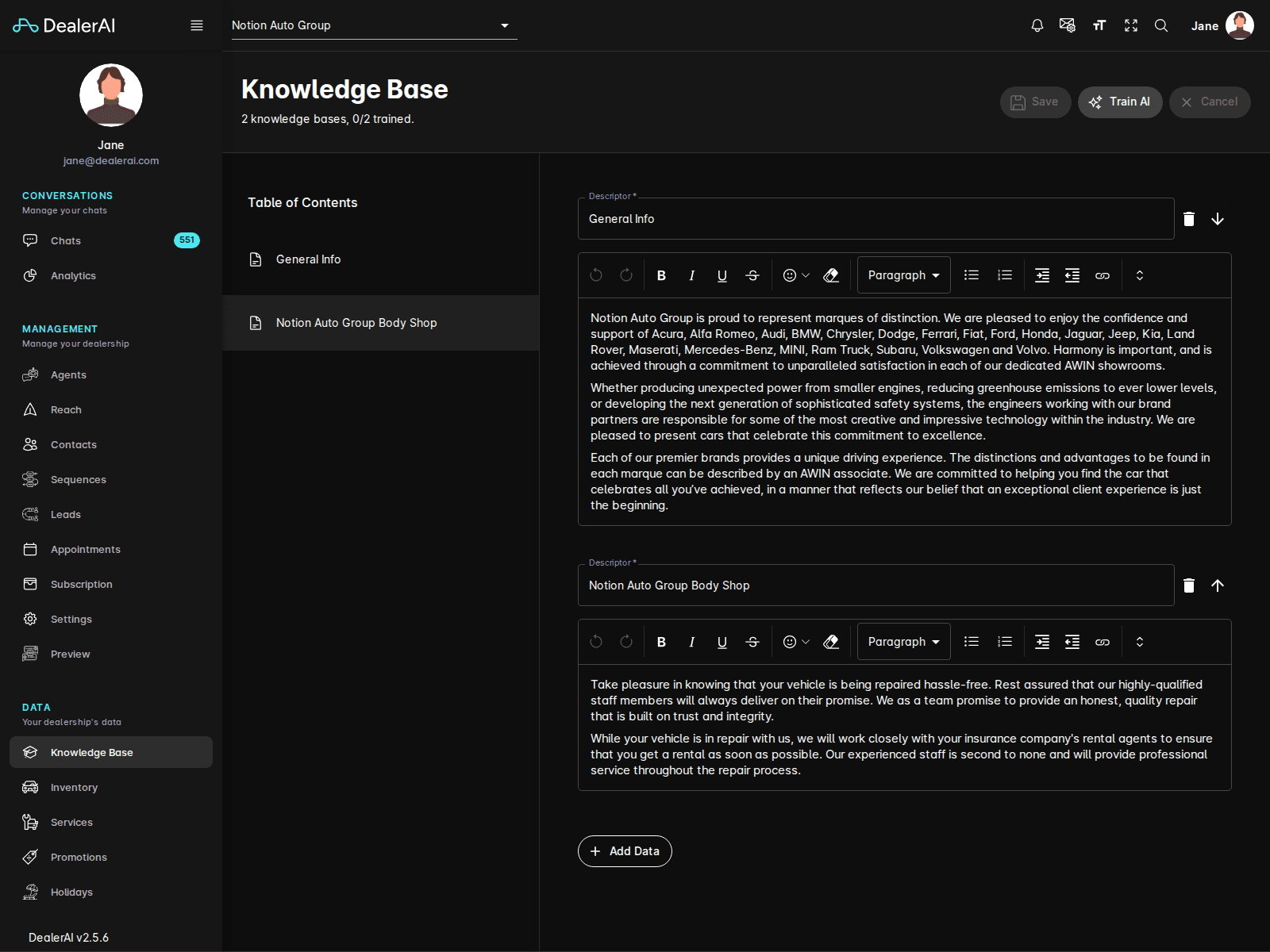
Once training finishes, the next conversation the AI handles will draw on the updated content.
When you need to retrain
Retrain after any of these changes:
- Adding, editing, or removing a Knowledge Base fact
- Importing entries via the Extract workflow
- Bulk reorganizing sections in the Table of Contents
You don't need to retrain after changing:
- Settings (hours, address, channels)
- Inventory (vehicles refresh automatically from your feed)
- Promotions (have their own retrain step under Promotions)
Confirm the new knowledge is live
After training, test the AI's knowledge by opening the Preview tool and asking a question that should use the new content.
If the AI still gives the old answer after training, hard-refresh the Preview window. If the answer remains stale, double-check that you saved before clicking Train AI — unsaved edits are not included in training.
Training status indicators
The page header shows the current training state:
| Status | Meaning |
|---|---|
| Up to date | The live AI is using the latest saved Knowledge Base. |
| Pending changes | You have saved edits that haven't been trained yet. |
| Training… | A train job is running; new conversations may briefly mix old and new answers. |
| Failed | Training didn't complete. Try again, and contact support if it persists. |
A good rhythm
- Daily edits: Save as you go, then Train AI once at the end of the editing session.
- Major rewrites: Save in stages, but only Train AI after the full rewrite is reviewed.
- Avoid training many times in quick succession — batch your edits instead.