

Webchat
Customize the DealerAI webchat widget's avatar, brand colors, welcome messages, action buttons, and CSS styling.
Webchat controls the appearance and behavior of the DealerAI chat widget embedded on the dealership's website.
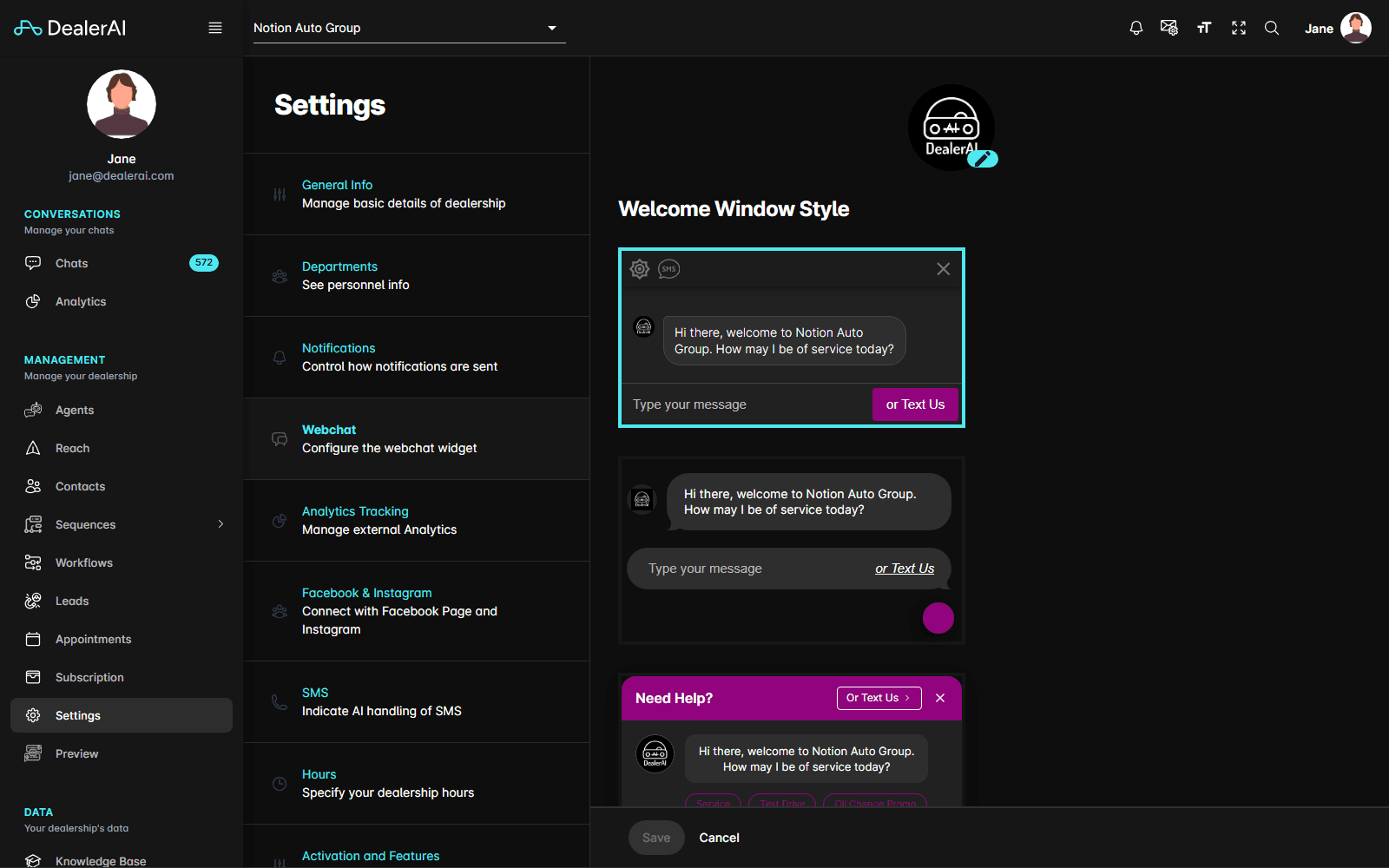
Fields
Avatar / personality
Select the AI persona that appears in the webchat widget. Each avatar option comes with a name and visual representation. Click Select Avatar to open the avatar browser and choose a different personality.
Brand colors
Use the color pickers to customize the widget's color scheme. Colors are set using RGBA or hex values and a live preview updates as you make changes.
Welcome messages
Configure the message shown to customers when they first open the chat widget. You can set a welcome message per locale to support multiple languages:
| Column | Description |
|---|---|
| Locale | The language/region code (read-only, set by supported languages configuration). |
| Welcome Message | The greeting text shown to the customer when the widget opens. |
Action buttons
Quick-reply buttons that appear in the webchat widget as conversation starters. Each button has:
| Field | Description |
|---|---|
| Title | The button label shown to the customer. |
| Message | The message sent on behalf of the customer when they click the button. |
Drag buttons to reorder them. The order determines how they appear in the widget.
Custom CSS
An inline code editor (CodeMirror) where you can enter custom CSS to override default widget styles. Changes apply to the widget's scoped styles.
Preview panel
A live preview of the chat widget appears alongside the settings form, reflecting color and avatar changes in real time before saving.
Changes to colors and avatar take effect immediately after saving. CSS changes may require a page refresh on the dealership's website to appear.