

Portal GuideSettings
Departments
Manage dealership staff and department contacts that the AI can share with customers.
Departments lets you configure the personnel list that the AI references when customers ask to speak with or contact a specific department or staff member.
Fields
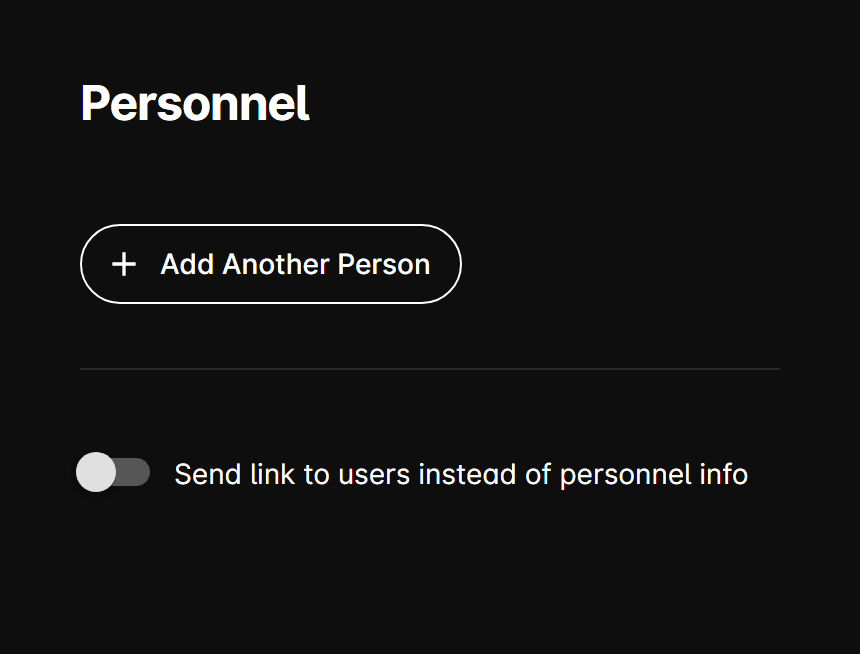
Send link instead of personnel
When this toggle is enabled, the AI sends a Personnel Info Link URL (a single URL you specify) instead of listing individual staff members directly in the conversation.
When disabled, the AI can reference individual entries from the personnel list below.
Personnel list
Add one or more staff members. Each entry includes:
| Field | Description |
|---|---|
| Name | Full name of the staff member. |
| Phone | Direct phone number for the staff member. |
| Email address for the staff member. | |
| Department | The department this person belongs to. |
| Title | Job title (e.g., Sales Manager, Service Advisor). |
Available departments:
- Sales
- Body Shop
- Service
- Parts
- Detail Center
- PPF & Tint Center
Reordering
Use the up (↑) and down (↓) arrows on each entry to change the display order. The order can affect which contact the AI surfaces first when a customer asks for a department.