

Voice Settings
Configure the AI voice agent's voice, tone, call forwarding, duration limits, reminders, and background noise for inbound and outbound calls.
Voice Settings controls the behavior of DealerAI's voice agent — the AI that handles inbound and outbound phone calls for the dealership.
Voice Settings are only visible when the voice feature is enabled for the dealership's account.
Basic configuration
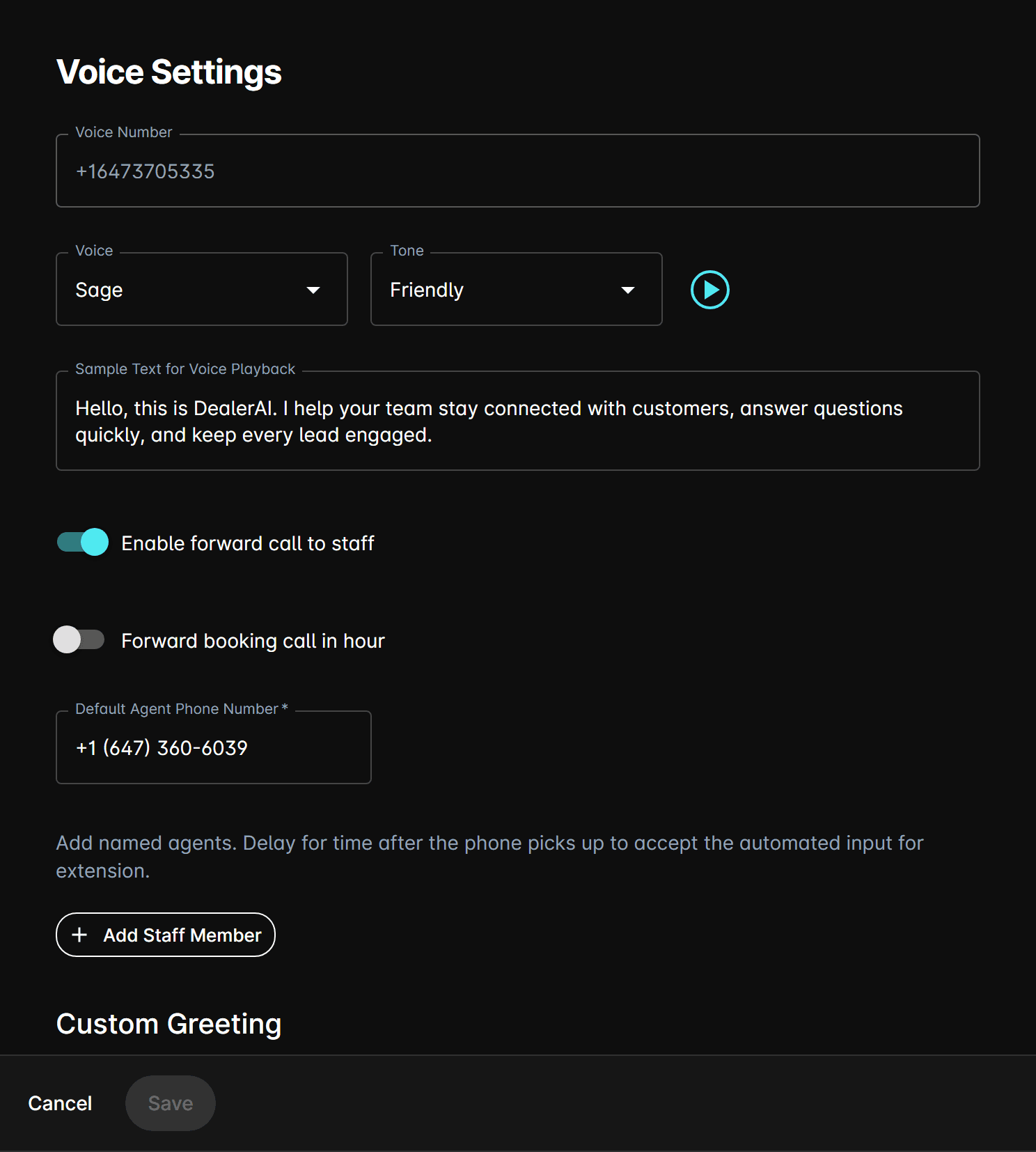
Voice number
The dealership's provisioned voice phone number. Read-only — contact support to change.
Voice
Choose the AI voice from OpenAI's available voice options. A play button lets you preview each voice with the sample text before saving.
| Voice | Character |
|---|---|
| Alloy | Neutral and balanced |
| Ash | Warm and conversational |
| Ballad | Expressive and dynamic |
| Coral | Friendly and approachable |
| Echo | Clear and professional |
| Sage | Calm and authoritative |
| Shimmer | Bright and energetic |
| Verse | Versatile and natural |
Tone
Controls the overall communication style of the voice agent:
| Tone | Description |
|---|---|
| Professional | Formal, businesslike interactions. |
| Friendly | Warm, approachable style. |
| Exciting | Enthusiastic and high-energy. |
Sample text for voice playback
Enter custom text used to preview the selected voice and tone combination. Click the play button to hear a sample before saving.
Call forwarding
Enable forward call to staff
When enabled, the AI can transfer calls to human staff members. Configure:
| Field | Description |
|---|---|
| Default Agent Phone Number | The fallback number to forward calls to when no specific agent is matched. |
| Named agents | A list of staff members the AI can forward to, each with Name, Phone, Extension, and Delay (seconds before forwarding). |
Forward booking call in hour
When enabled, calls related to appointment booking are forwarded to staff during business hours.
Redirect phone number when AI off
The phone number that inbound calls are redirected to when the AI is deactivated or the dealership is outside business hours.
Call limits
Max voice call duration (minutes)
Sets the maximum allowed length for a single AI voice call. Range: 1–180 minutes. Calls exceeding this limit are ended automatically.
Reminders
Configure voice reminder messages that the AI delivers at scheduled intervals or trigger points during a call or conversation.
Background noise
Waiting noise
Waiting Noise Enabled — Plays background noise while a customer is on hold or waiting. When enabled, configure:
- Volume — Set the waiting noise volume: 25%, 50%, 75%, or 100%.
- Use the play button to preview the sound at the selected volume.
Passive noise
Passive Noise Enabled — Plays subtle ambient background audio during AI speech to make the voice agent sound more natural and less robotic. When enabled, select a Passive Noise Type from the dropdown and preview it with the play button.