

Activation and Features
Control chatbot activation, supported languages, auto-off schedules, lease and finance estimators, anti-spam settings, and other feature flags.
Activation and Features is the main feature control panel for a dealership. It governs whether the AI is active, which languages it supports, when it automatically turns off, and how advanced features like lease estimates and anti-spam behave.
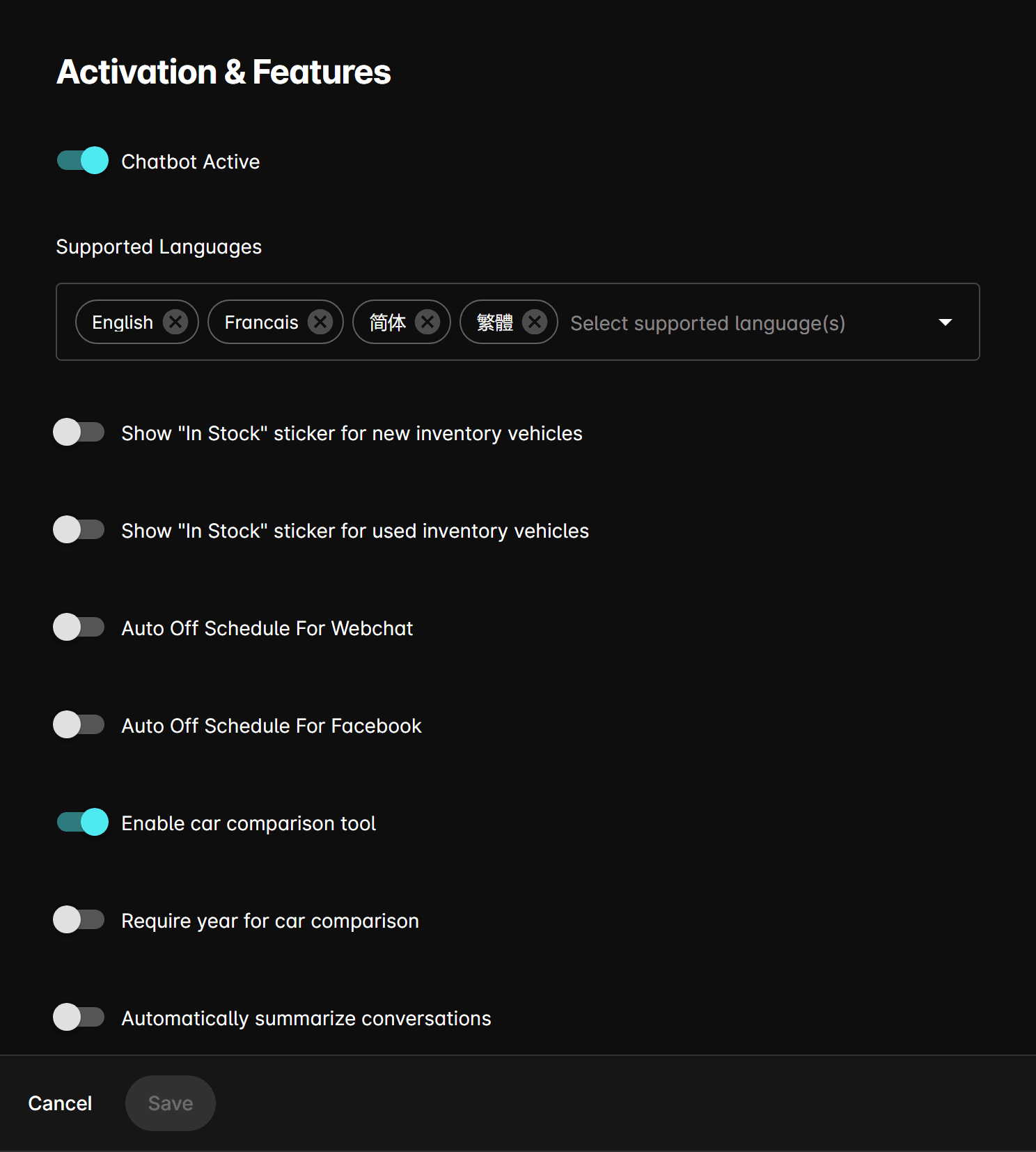
Most settings on this page are read-only if the dealership does not have an active or trialing subscription.
Core settings
Chatbot active
Master switch to enable or disable the AI across all channels. When off, the chatbot will not respond to any incoming messages regardless of channel.
Supported languages
Multi-select field listing the languages the AI is configured to understand and respond in. The AI will auto-detect the customer's language and reply accordingly when multiple languages are enabled.
Auto-off schedules
You can configure the AI to automatically turn off outside of business hours on a per-channel basis.
Auto Off Schedule for Webchat
Enables time-based automatic deactivation for the webchat widget. Set opening and closing times per day, and mark specific days as closed.
Auto Off Schedule for Facebook
Same schedule configuration, applied independently to the Facebook Messenger channel.
Estimate settings
Lease estimate settings
When enabled, the AI can calculate and present lease payment estimates. Configure per manufacturer:
| Field | Description |
|---|---|
| Manufacturer | The vehicle brand these rates apply to. |
| Interest Rate (%) | Money factor or interest rate used in the lease calculation. |
| Down Payment | Default down payment amount. |
| Term (months) | Lease term length. |
| Residual Value (%) | Vehicle residual value percentage at end of term. |
Finance estimate settings
Same structure as lease estimates. Residual value is locked at 0% for finance calculations.
Finance calculator
Configures the dealership-specific finance calculator with email, region, and a list of term/rate pairs used to generate payment estimates.
Proximity search
Proximity Search Mode — Controls how the AI handles location-based vehicle searches:
| Option | Behavior |
|---|---|
| Off | No proximity search. |
| Auto-detect User Location | Uses browser geolocation to find nearby inventory automatically. |
| Ask For User Location | Prompts the customer to share their location before searching. |
Anti-spam settings
Protects the dealership from spam or repeated automated messages:
| Setting | Description |
|---|---|
| Hard stop SMS count | Number of messages after which the SMS conversation is blocked. |
| Hard stop email count | Same limit for email conversations. |
| Hard stop webchat count | Same limit for webchat conversations. |
| Ask for contact at | Message count at which the AI requests customer contact information. |
| Unblock after | Time period after which a blocked contact is automatically unblocked. |
| Spam repeat threshold | Repeat message threshold used to identify spam patterns. |
| Forward lead on spam | When enabled, leads flagged as spam are still forwarded to the configured email addresses. |
Flag notification settings
When enabled, sends email alerts when a conversation is flagged for review. Configure the list of recipient email addresses.
Compare car tool
Enable Compare Car Tool — Allows the AI to present side-by-side vehicle comparisons when customers ask to compare models.