

Portal GuideSettings
How to configure business hours
Set your dealership's daily opening and closing times.
Business hours tell the AI when your dealership is open. The bot uses this information to set customer expectations, offer appropriate appointment times, and provide after-hours messaging when you're closed.
Set business hours
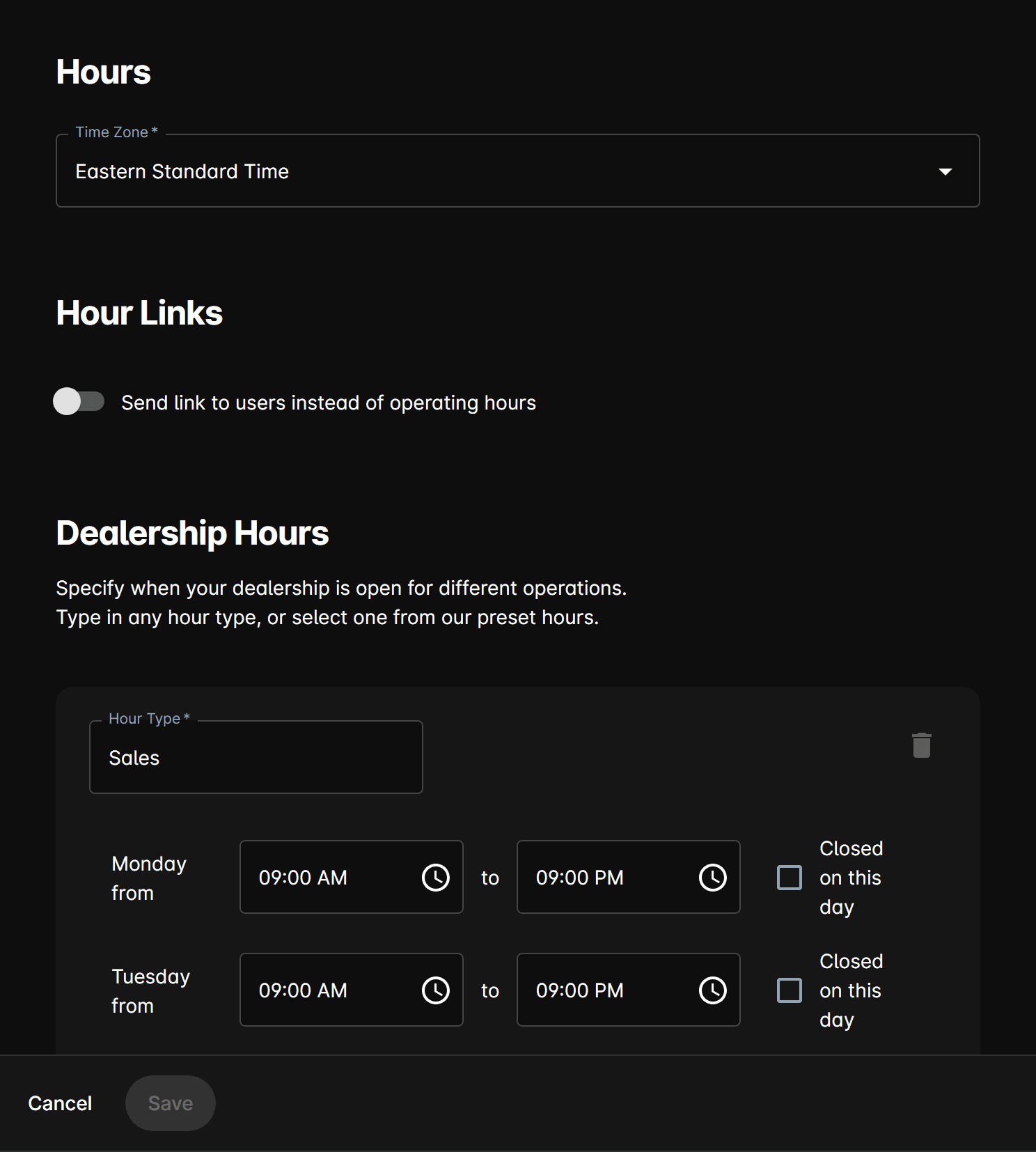
Go to Settings from the sidebar.
Select the Hours section.
For each day, use the time pickers to set the Opening Time and Closing Time.
Switch on the Closed toggle for days you're not open (e.g., Sunday).
Click Save to apply your schedule.
How the AI uses business hours
| Scenario | AI Behavior |
|---|---|
| During hours | Offers appointments, suggests visits, provides full service |
| After hours | Tells customers you're closed, gives next opening time, still captures leads |
| Booking | Only offers appointment slots within open hours |
| Holidays | Hours are overridden by Holidays closures |
Set different hours by day
Most dealerships have varying hours (e.g., shorter Saturday hours, closed Sunday):
| Day | Example Hours |
|---|---|
| Monday–Friday | 9:00 AM – 7:00 PM |
| Saturday | 9:00 AM – 5:00 PM |
| Sunday | Closed |
Simply set each day independently using the time pickers and closed toggle.
Temporary hour changes
For one-time schedule changes (early close, special event):
- For a full-day closure, add a Holiday instead
- For a partial-day change (e.g., closing early at 3 PM on Friday), temporarily update the hours for that day and remember to change them back
Business hours apply to all AI interactions including appointment booking, after-hours messaging, and Reach sequence timing. The AI won't send messages or book appointments outside your configured hours.
Tips
- Set hours to match your customer-facing schedule, not staff working hours.
- If your sales and service departments have different hours, check with your administrator about department-specific scheduling.
- Review hours seasonally — many dealerships extend hours in summer or during sales events.
- After changing hours, test with Preview to verify the AI gives correct open/close times.