

Connected Apps
See which AI assistants are connected to your store, what each one is allowed to do, and disconnect any of them.
Someone at your dealership can connect an AI assistant — Claude or ChatGPT — to DealerAI, so they can ask it about inventory, conversations, or contacts without opening the portal. Connected Apps is the record of who did that, and the place to undo it.
Each connection is tied to one store and to the person who authorized it, and it can only do what that person approved at the time.
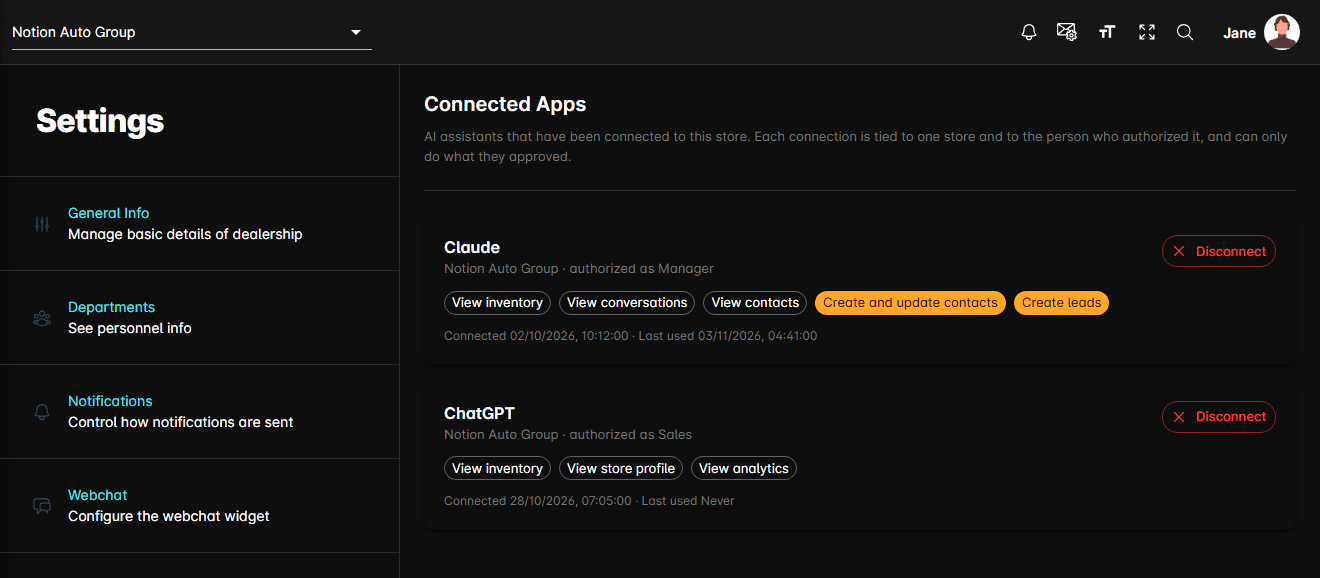
What each entry shows
| What you see | What it tells you |
|---|---|
| App name | The assistant that was connected, such as Claude |
| Store and role | The dealership it reaches, and the role it was authorized as |
| Permission chips | What it may do, in plain language rather than technical scope names |
| Connected / Last used | When it was authorized, and when it last called DealerAI — Never if it hasn't |
Permissions that only read your data — View inventory, View conversations, View contacts — are plain outlined chips. Permissions that change something or reach a customer are highlighted: Create and update contacts, Create and switch promotions, Enroll contacts in sequences, Enroll groups of contacts in sequences, Create leads, and Message customers directly.
Connecting an app
Nothing is connected from this page. The person doing it adds the DealerAI connector in their assistant, signs in with their portal account, and approves the permissions the assistant asks for. It then appears here.
If nothing has ever been connected, the page says so instead of showing a list.
Disconnecting
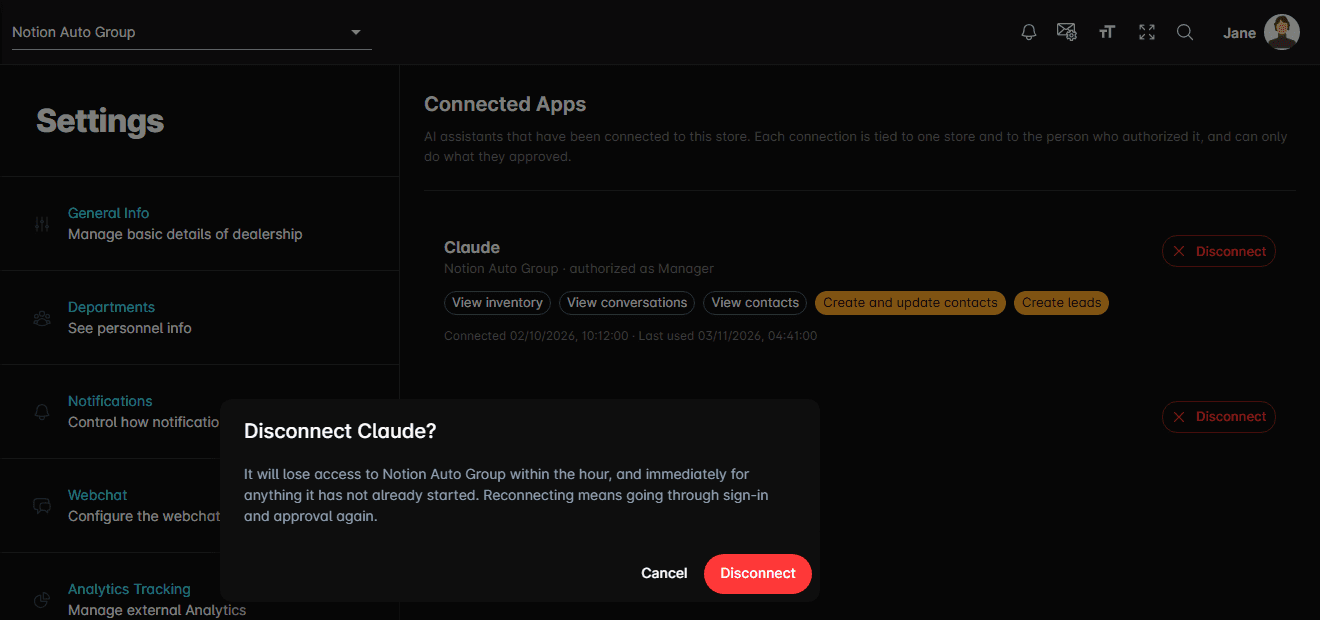
It loses access to the store within the hour, and immediately for anything it has not already started. Reconnecting is not a toggle — it means going through sign-in and approval again.